
NorthMail.ca – Free Canadian email server with video calls, photo storage, and an office suite
NorthMail.ca is a new Canadian company, based in Quebec City, offering email services for free. This makes them a great option to get away from the dominant email service providers, Google’s Gmail and Microsoft’s Outlook. Email service is available through webmail or through new iOS and Android apps.
With Microsoft and Google the US government can access your information through provisions of the Patriot Act, additionally both Microsoft and Google likely use your data to train their AI systems and to advance their other businesses.
Northmail’s iOS and Android apps only offer email service at this time, but from the website you can access a few other features, which really show that Northmail.ca is going the extra kilometre, including free video calling similar to Microsoft Teams, Zoom, Facetime, WhatsApp.
Additionally, Northmail.ca is providing access to a full office suite for word processing, presentation, and spreadsheets. Microsoft’s equivalent features are Word, PowerPoint and Excel while Google’s equivalent programs are Docs, Sheets, and Slides.
NorthMail.ca has many other features, a calendar, file and photo storage, dark mode and other theme customization. Language settings allow for both English and French as well as many other languages.
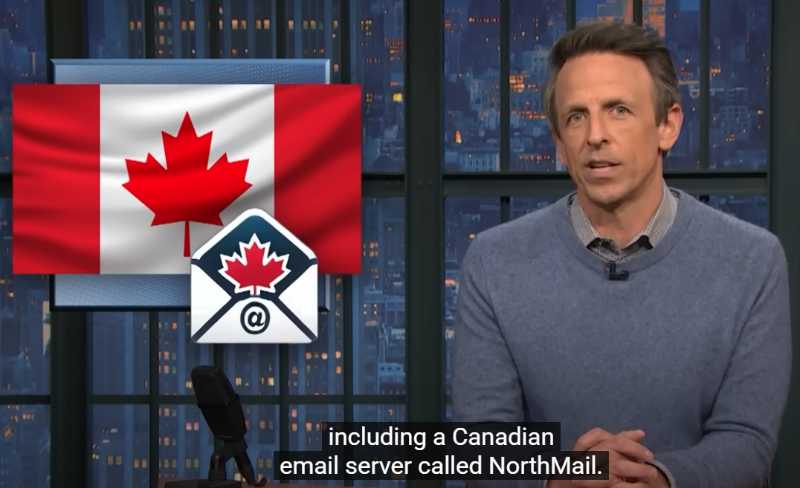
Oddly enough Northmail was featured in a monologue joke on Late Night with Seth Meyers. You can see the joke on TikTok here or at 7:15 on this YouTube video of the show.
The paid premium version of NorthMail.ca provides 100 GB of storage (1GB for free version), no ads, and promises a faster smoother experience for $0.99/month.
The Video Calling feature is a bit tricky to get setup but the calls works well once you setup a calling group and have both users logged in.
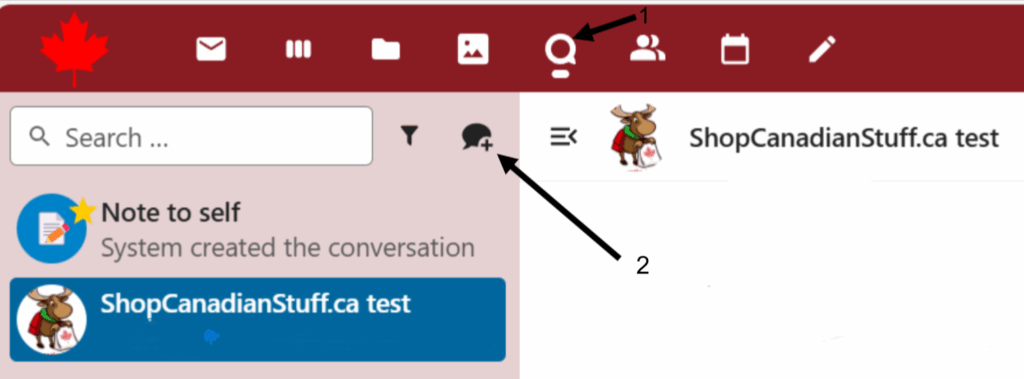
First click the icon for Talk (#1 below) and then the Creat a new conversation itcon (#2 below)
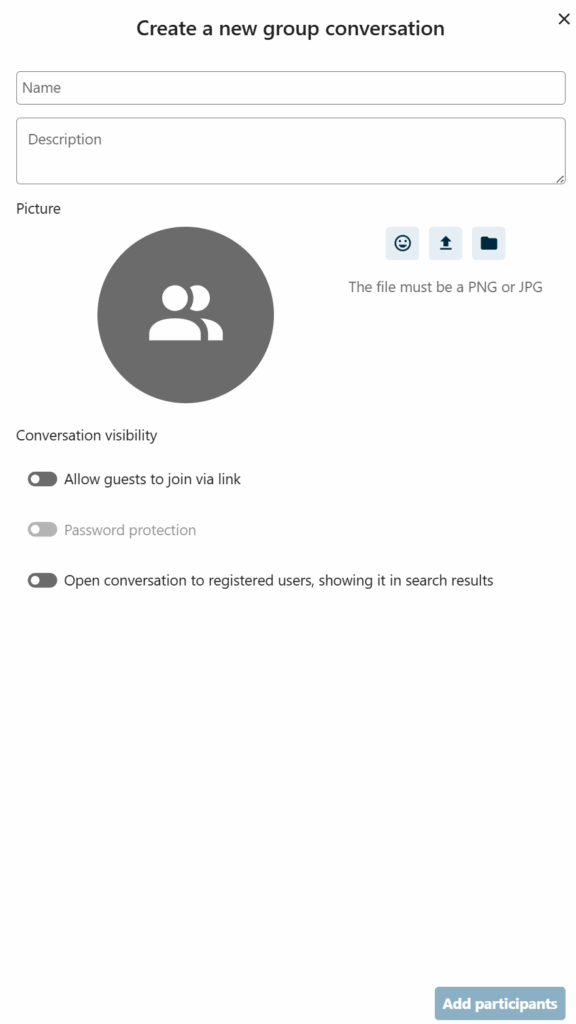
Fill in the details in the Create a new Group conversation window, if you are adding a contact through NorthMail.ca you can use the “Add participant” button at the bottom. Alternatively, you can use the option “Allow guests to join via link” be able to send you contact a link similar to MS Teams or Zoom. The option for password protection is there too to prevent unwanted guests.
Finally click on the button for Start Call and if your contacts are logged into NorthMail.ca it will start ringing on their end.

Comments